Describe an app. Watch it get built.
Ozone is an open-source desktop app that turns a description into a working app, runs it in Docker on your machine and deploys it, using the coding-agent subscription you already have.
Needs Docker and Claude Code or another supported provider
Illustration of a build in Ozone. The prompt “A reading list. Add a book with its title and author, mark it as read, and see how many are left to read.” becomes a plan of 5 tasks: Scaffold from template, Books table and migration, Add and list books, Mark as read and count, Browser test. Each task passes its type check, lint and tests and is committed; one fails a test once and is repaired. The finished reading-list app then opens in a preview, showing 3 books left to read.
Works with the subscription you already have
- Claude Code
- Codex
- Cursor
- OpenCode
Sign in to Claude from Settings. No API key involved.
Features
From one sentence to a running app
Ozone writes the project, runs it and keeps you in charge of how it gets built.
- Web app: TanStack Start, React 19, Tailwind CSS 4, Drizzle on Postgres, Better Auth
- Landing page: No database
- API: Hono, Drizzle on Postgres, zod
Builds from a prompt
A real project on your disk, in its own git repository, started from a tested template.
Waiting for your go-ahead
You steer
“Plan first” waits for your go-ahead. Pick the workers' model, so a large lead directs cheaper workers.
Runs in Docker
Each app is a Docker Compose project with one address that never changes. Start, stop, restart, rebuild and read logs from the thread.
Secrets stay out of code
Settings you add under Environment reach the container, never the code.
Chat with files
Bring PDFs, Word documents and images into the conversation.
Local first
Ozone runs on your machine with your own provider accounts and sends nothing to a service you did not set up. Remote access goes over your own network.
The Build Conductor
Every step is checked before it counts
1 of 5: Prompt
Your request becomes a task graph.
2 of 5: Plan
A worker does each task.
3 of 5: Checks
The server, not the agent, runs the type check, the linter and the tests inside the app's container. A failed check goes to a fresh worker with the evidence. Every task that passes is a commit.
4 of 5: Preview
When every check passes, a tester uses the app in a browser against what you asked for.
5 of 5: Deploy
Ship it to your own server or a host you already use.
Prompt
Your request becomes a task graph.
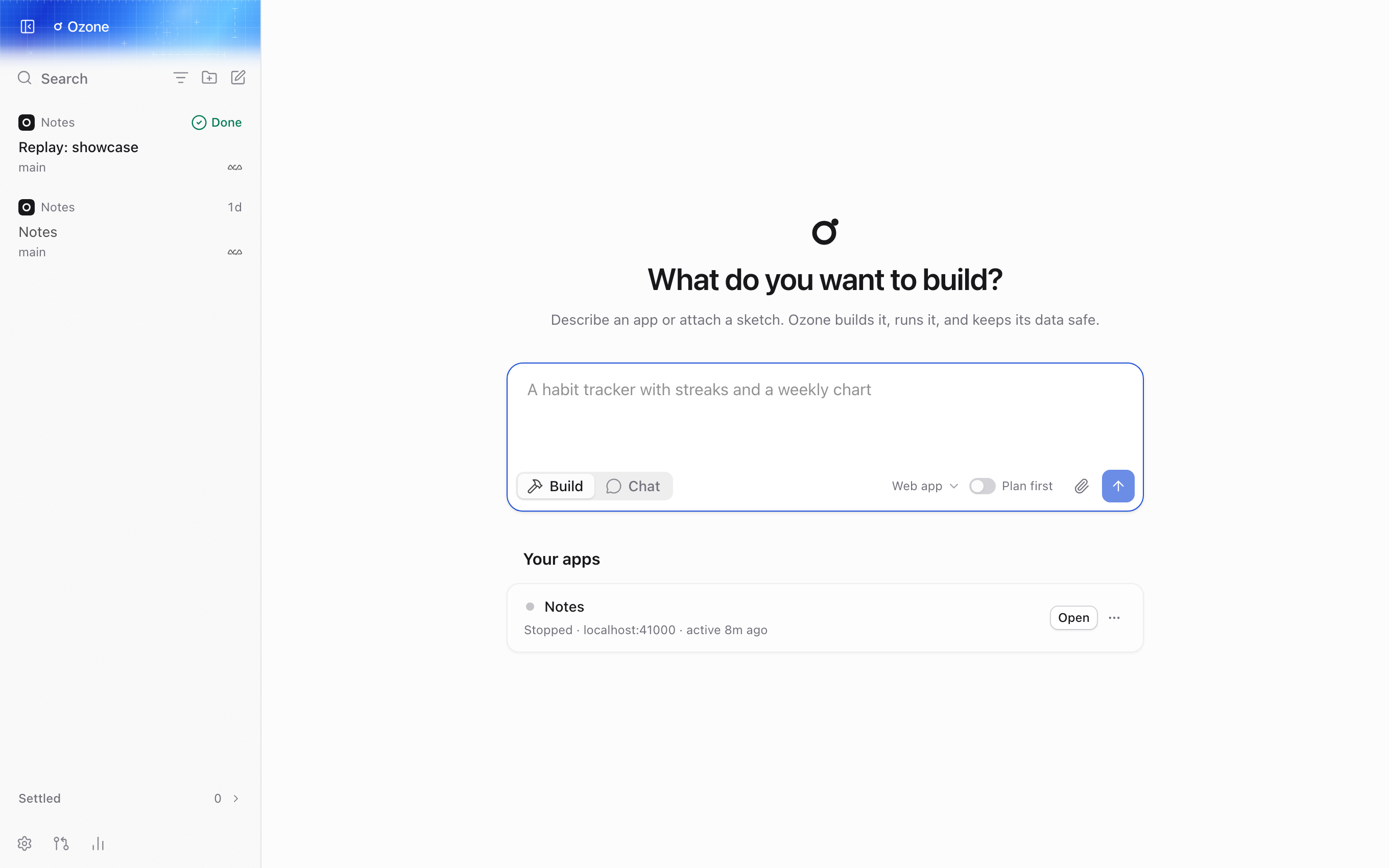
Plan
A worker does each task.
Checks
The server, not the agent, runs the type check, the linter and the tests inside the app's container. A failed check goes to a fresh worker with the evidence. Every task that passes is a commit.
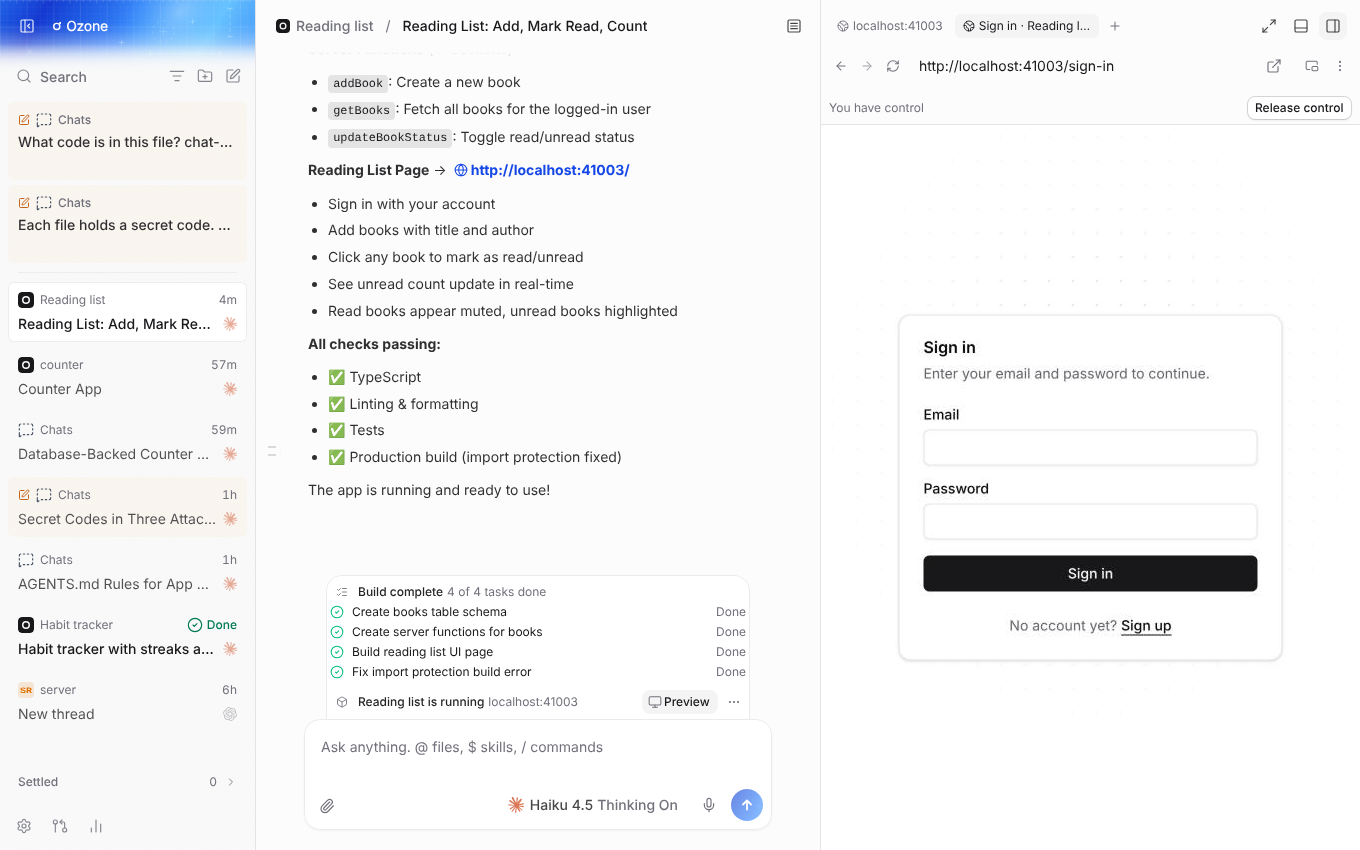
Preview
When every check passes, a tester uses the app in a browser against what you asked for.
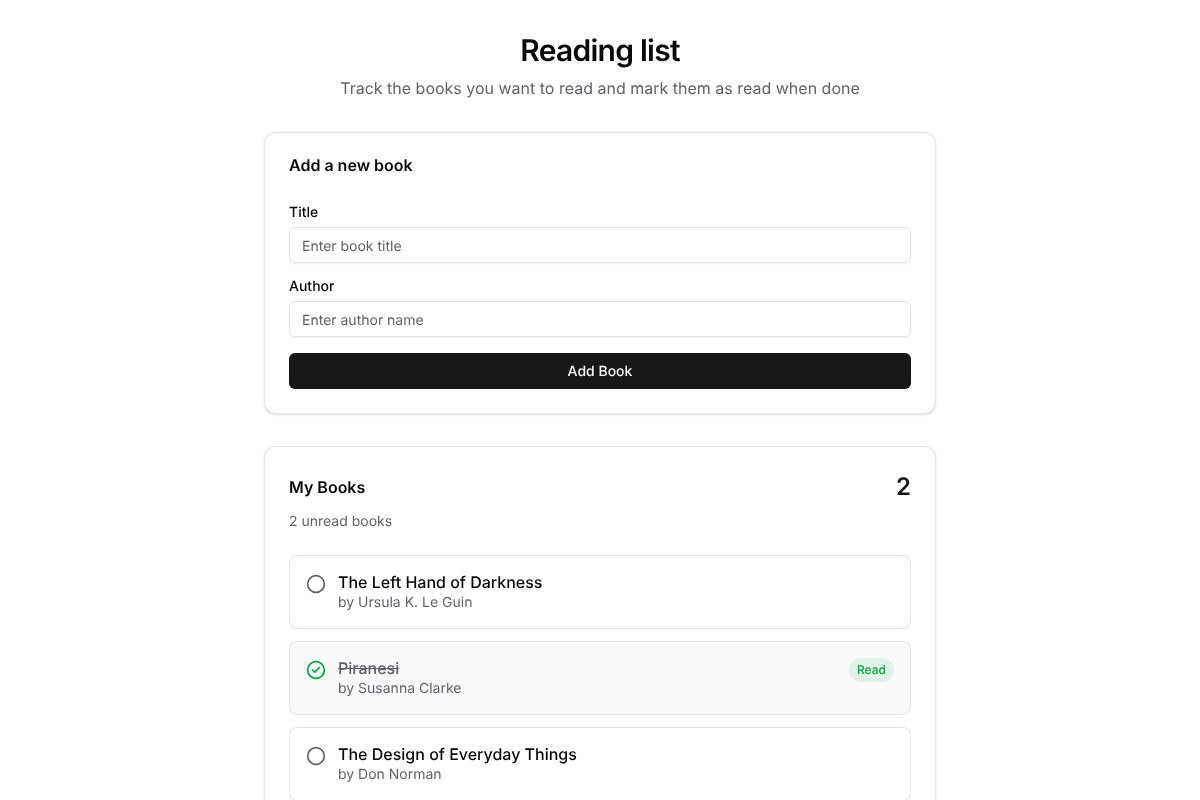
Deploy
Ship it to your own server or a host you already use.
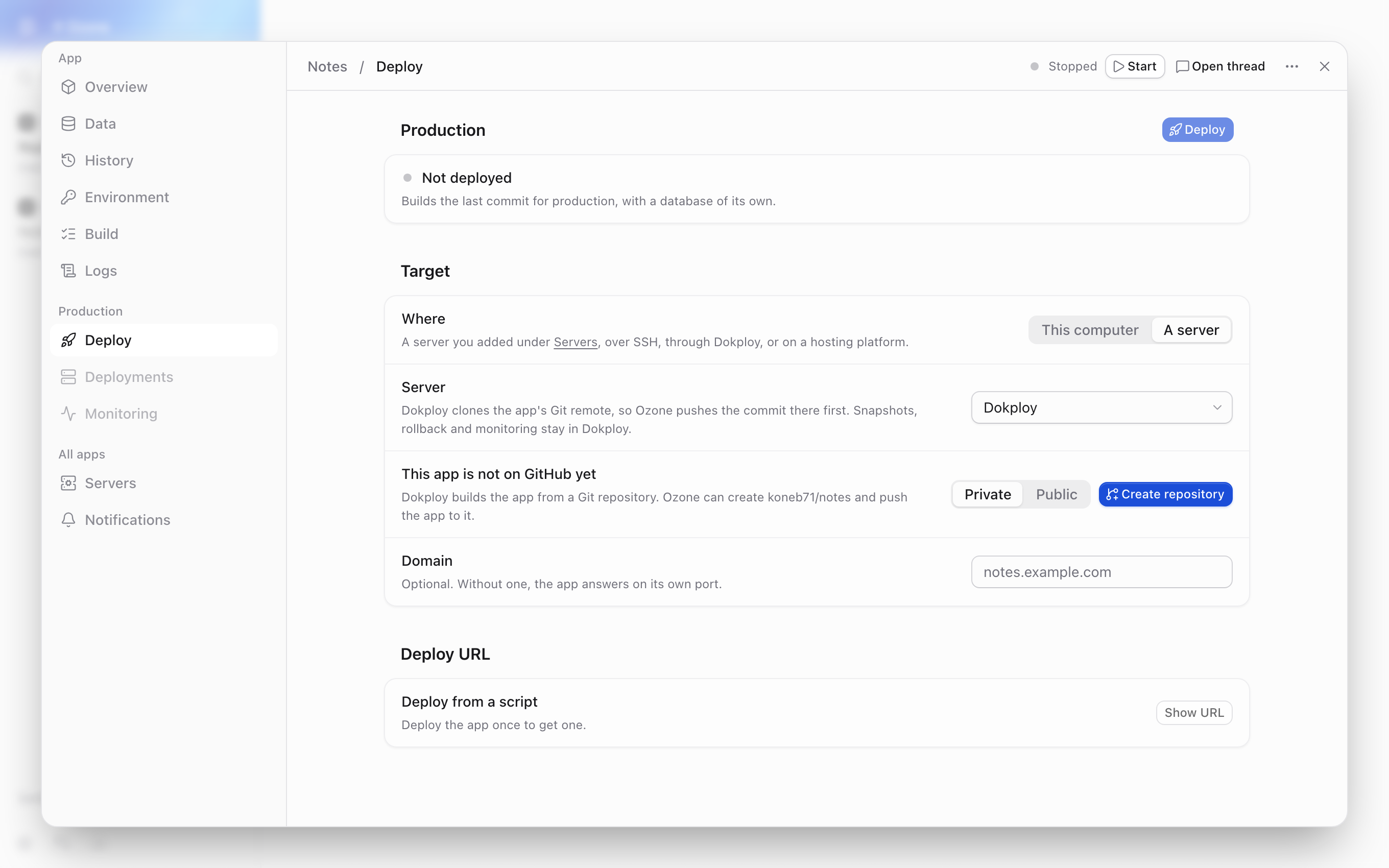
Data safety
Your data survives your experiments
Only Delete app removes the database
The database lives in a volume that only a confirmed Delete app removes, after a snapshot. A deleted app can be brought back with its data.
Go back to any task
Every finished task takes a snapshot. History takes the code and the data back to any task, and you can undo that the same way.
Risky migrations wait for you
A migration that can lose data waits until you apply it, after a snapshot.
Deploy
Ship it where you want
Deploy runs the production build with a database of its own, on this machine or on a server that runs Docker, reached over SSH. Development data is never touched.
- 1 Build
- 2 Snapshot
- 3 Switch over
- 4 Live
HTTPS on your domain
Give it a domain and it is served over HTTPS with a Let's Encrypt certificate.
Updates without downtime
Each new version takes over without the app going down.
Roll back to any deploy
Deployments lists every deploy and rolls back to any of them.
See how it is running
Monitoring shows each container's CPU, memory, network and logs.
Pick the host
- Your serverSSH
- Dokploy
- Railway
- Render
- Koyeb
- Vercelno database
Vercel takes only apps without a database.
Put the code on GitHub
Create the GitHub repository in one click.
Hear how each deploy went
Notifications tell Slack, Discord, Telegram or any webhook how each deploy went.
- Slack
- Discord
- Telegram
- Any webhook
Get started
Your first app in three steps
Step 1: Sign in
Open Settings, choose Providers and sign in to Claude.
Step 2: Describe
On the home screen, describe an app and press Enter.
Step 3: Watch
Watch the plan run; the preview opens by itself.
You need: Docker with Compose, and Claude Code or another supported provider on the same machine.
Questions
Questions before you install
Short answers on cost, what you need, where your work lives and how it stays safe.
Yes. Ozone is open source under the MIT License. You use your own coding-agent subscription.
No. Sign in to Claude from Settings; no API key is involved, and an API key left in your shell is not used by accident. Codex, Cursor, OpenCode and other supported providers work too.
Docker with Compose, and Claude Code or another supported provider on the same machine. Ozone says on its home screen when one is missing and how to get it.
Ozone runs on your machine with your own provider accounts and sends nothing to a service you did not set up. Each app is a real project on your disk in its own git repository. Ozone keeps its own data in ~/.ozone.
Mac with Apple silicon, 64-bit Linux and 64-bit Windows.
The Windows installer is not signed, so SmartScreen warns before it runs: choose More info, then Run anyway. The Mac app is signed and notarized by Apple.
The database lives in a volume that only a confirmed Delete app removes, after a snapshot. Every finished task takes a snapshot, and a migration that can lose data waits until you apply it.
This machine or any server that runs Docker over SSH, or Dokploy, Railway, Render, Koyeb or Vercel (Vercel only for apps without a database).
Ozone started as a fork of T3 Code and adds the app builder, the deploys and a local-first setup. For a client for coding agents without the app builder, use T3 Code.
Credit
Standing on T3 Code
Ozone started as a fork of T3 Code, the open source client for coding agents by Theo and the team at T3 Tools. The threads, providers, checkpoints, preview browser and terminal are their work; Ozone adds the app builder, the deploys and a local-first setup.
If you want a great client for coding agents without the app builder, use T3 Code.
Your next app is one sentence away.
Ozone is open source under the MIT License and runs on your machine, with the coding-agent subscription you already have.