Describe an app. Watch it get built.
Ozone is a desktop app. Describe what you want and it builds the project, runs it in Docker and deploys it, checking every step itself.
Needs Docker and Claude Code or another supported provider. What you need
Illustration of a build in Ozone. The prompt “A reading list. Add a book with its title and author, mark it as read, and see how many are left to read.” becomes a plan of 5 tasks: Scaffold from template, Books table and migration, Add and list books, Mark as read and count, Browser test. Each task passes its type check, lint and tests and is committed; one fails a test once and is repaired. The finished reading-list app then opens in a preview, showing 3 books left to read.
Works with the subscription you already have
- Claude Code
- Codex
- Cursor
- OpenCode
The Build Conductor
Every step is checked before it counts
The Build Conductor is Ozone’s orchestrator: it plans the tasks and runs the checks.
1 of 5: Prompt
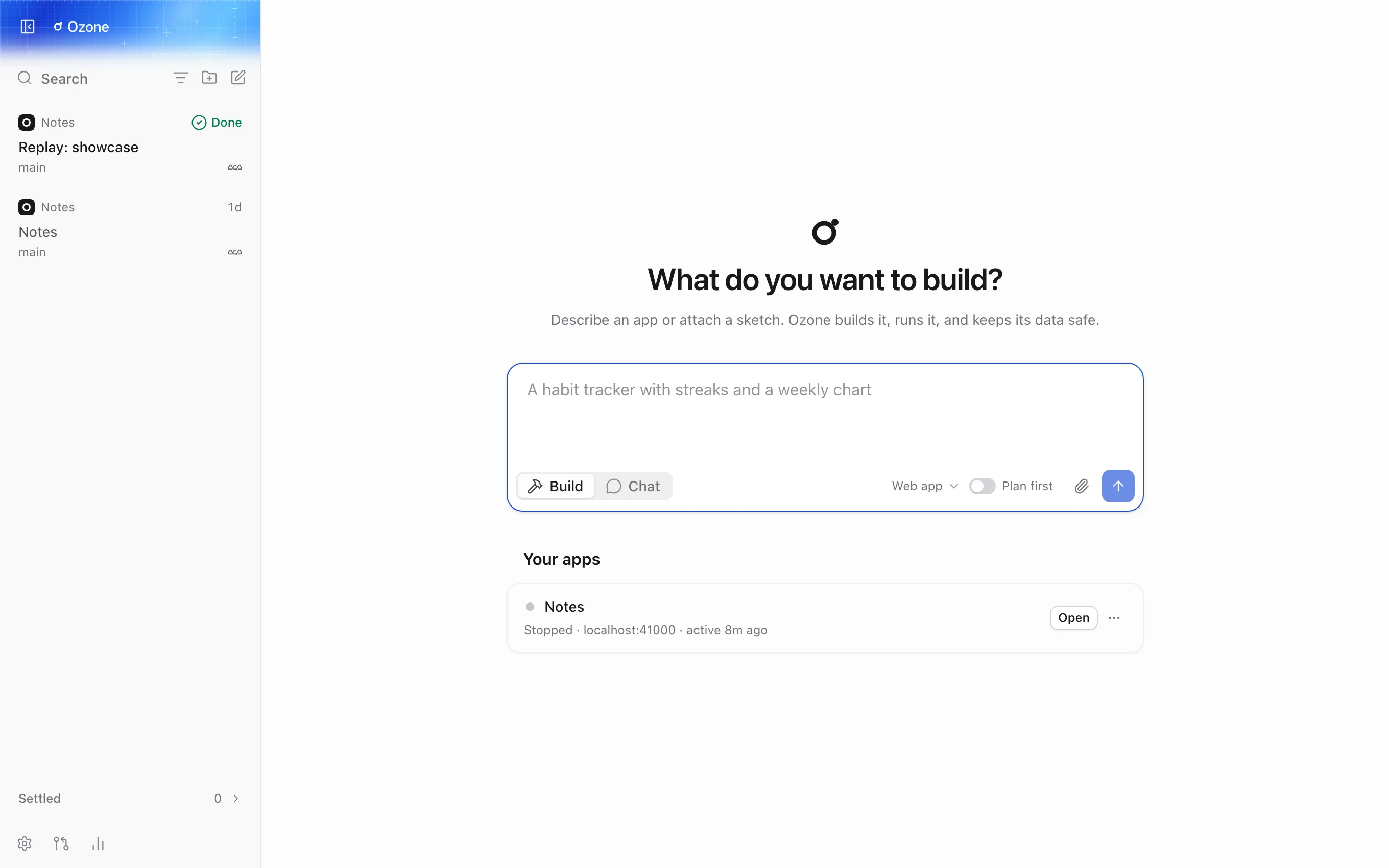
Describe the app you want and pick a template.
Prompt
Describe the app you want and pick a template.
Plan
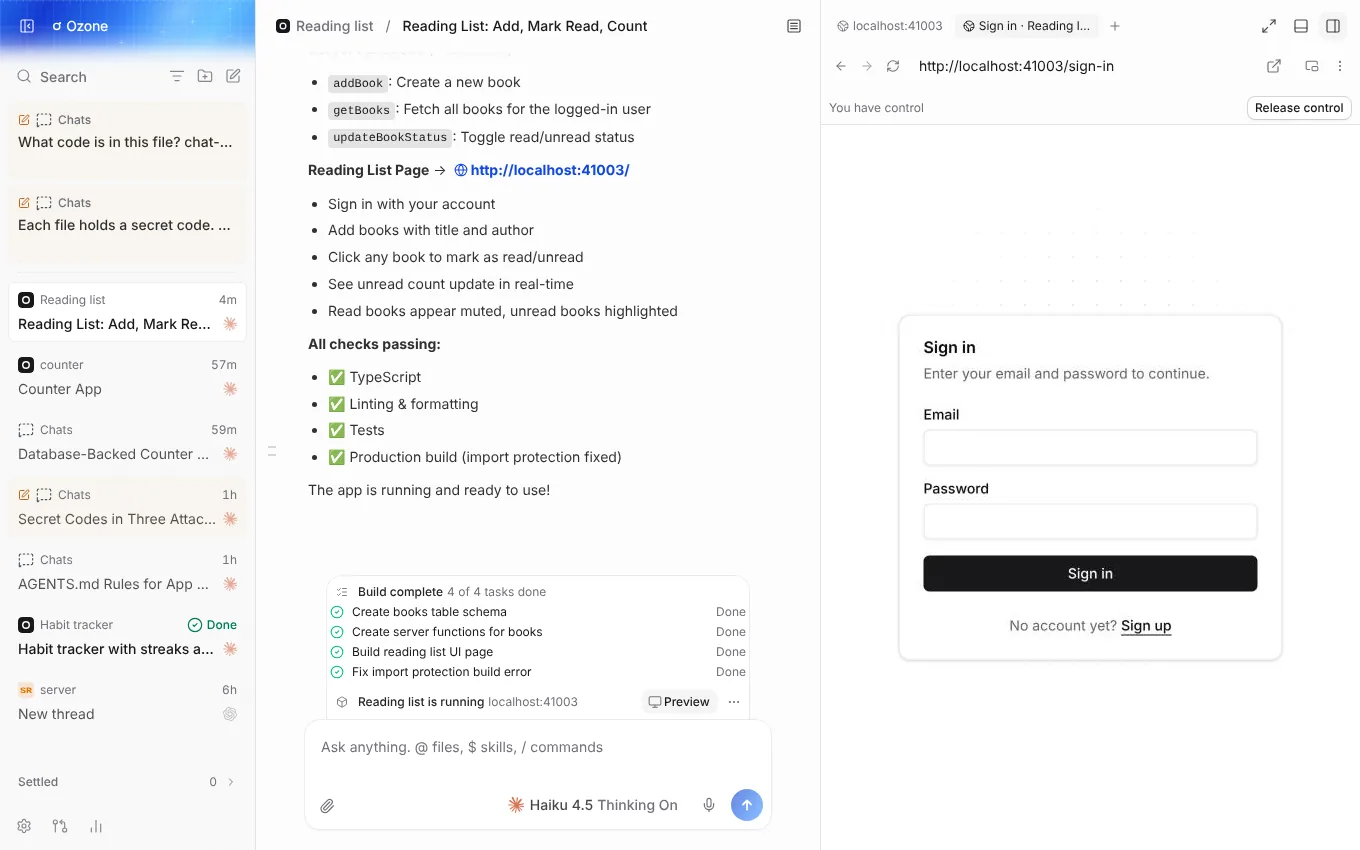
Your request becomes a task graph, and a worker does each task.
Checks
The server, not the agent, runs the type check, the linter and the tests inside the app's container. A failed check goes to a fresh worker with the evidence. Every task that passes is a commit.
Preview
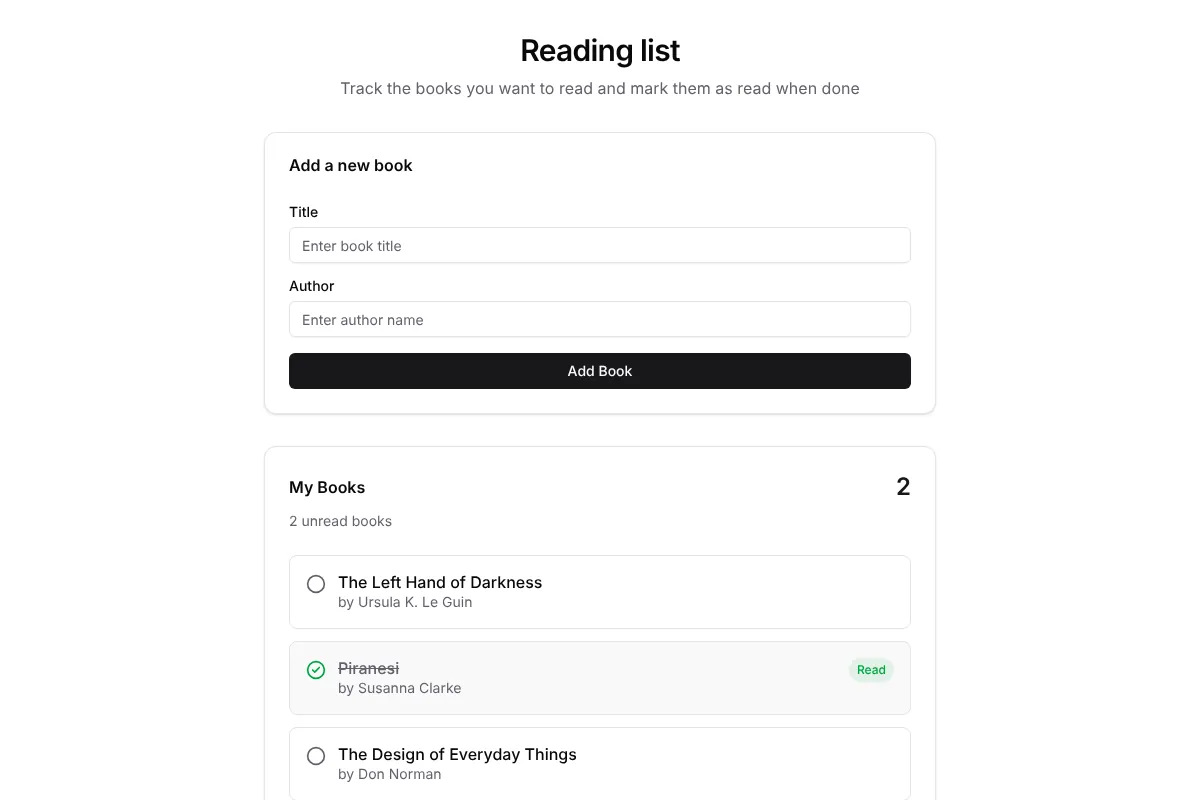
When every check passes, a tester uses the app in a browser against what you asked for.
Features
And the parts around the build
Pick the design first
Turn on Pick the design and the agent offers three directions before it plans, each drawn in its own colours and type. Your pick is saved in DESIGN.md, and every later change follows it.
Secrets stay out of code
Settings you add under Environment reach the container, never the code.
Chat with files
Bring PDFs, Word documents and images into the conversation.
Local first
Ozone runs on your machine with your own provider accounts and sends nothing to a service you did not set up. Remote access goes over your own network.
Data safety
Your data survives your experiments
The database stays until you delete the app
Each app's database lives in a volume of its own. It is removed only when you choose Delete app and confirm, and Ozone takes a snapshot first, so a deleted app can be brought back with its data.
Go back to any task
Every finished task takes a snapshot. History takes the code and the data back to any task, and you can undo that the same way.
Risky migrations wait for you
A migration that can lose data waits until you apply it, after a snapshot.
Deploy
Ship it where you want
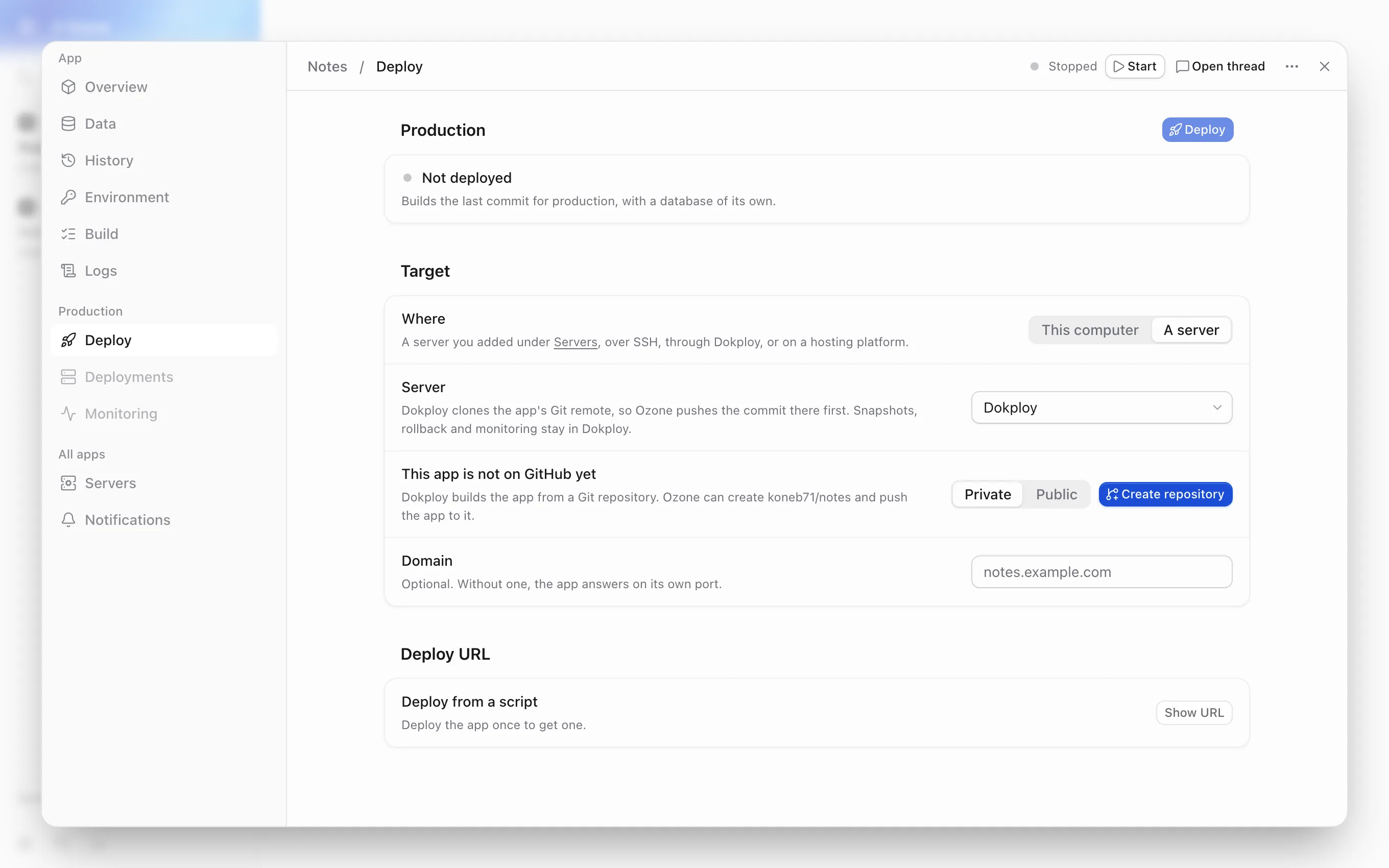
Deploy runs the production build on this machine or on a server that runs Docker.
- 1 Build
- 2 Snapshot
- 3 Switch over
- 4 Live
- A database of its own. Development data is never touched.
- HTTPS on your domain with a Let's Encrypt certificate, and each new version takes over without downtime.
- Deployments lists every deploy and rolls back to any of them.
- Monitoring shows each container's CPU, memory, network and logs.
- Hosts
- Your server (over SSH)
- Dokploy
- Railway
- Render
- Koyeb
- Vercel (apps without a database)
- Notifications
- Slack
- Discord
- Telegram
- Any webhook
Questions
Short answers before you download
Before you install
Yes. Ozone is open source under the MIT License. You use your own coding-agent subscription.
Not with Claude. Sign in to your provider from Settings. With Claude no API key is involved, and an API key left in your shell is not used by accident. Codex, Cursor, OpenCode and other supported providers work too.
Docker with Compose, and Claude Code or another supported provider on the same machine. Ozone says on its home screen when one is missing and how to get it.
Mac with Apple silicon, 64-bit Linux and 64-bit Windows. The Mac build is for Apple silicon only: there is no build for Intel Macs.
The Windows installer is not signed, so SmartScreen warns before it runs: choose More info, then Run anyway. The Mac app is signed and notarized by Apple.
Your code and data
Ozone runs on your machine with your own provider accounts and sends nothing to a service you did not set up. Each app is a real project on your disk in its own git repository. Ozone keeps its own data in ~/.ozone.
Not by accident. The database lives in a volume of its own, which is removed only when you choose Delete app and confirm, after a snapshot. Every finished task takes a snapshot too, and a migration that can lose data waits until you apply it.
Shipping and alternatives
This machine or any server that runs Docker over SSH, or Dokploy, Railway, Render, Koyeb or Vercel (Vercel only for apps without a database).
Ozone started as a fork of T3 Code, the open source client for coding agents by Theo and the team at T3 Tools. The threads, providers, checkpoints, preview browser and terminal are their work; Ozone adds the app builder, the deploys and a local-first setup. For a client for coding agents without the app builder, use T3 Code.
Your next app is one sentence away.
Ozone is open source under the MIT License and runs on your machine, with the coding-agent subscription you already have.